
Case study
Chat Assist
Real-Time AI Support for Real-Time Questions
Overview
About
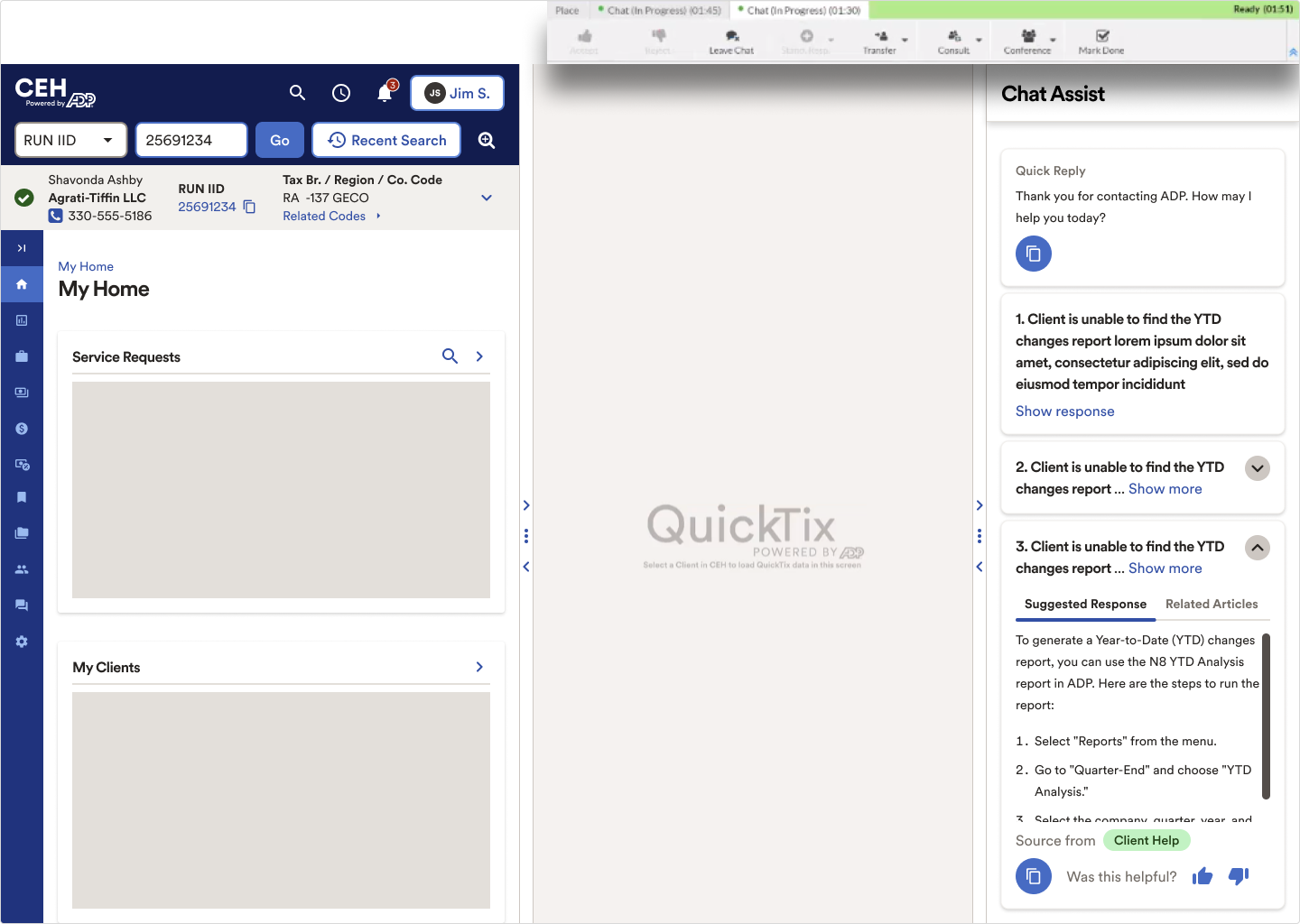
Chat Assist is a real-time AI support tool designed specifically for our customer service representatives — the people on the front lines helping clients every day. My goal was to give these reps better tools to answer questions quickly, confidently, and accurately.
My Role
- Led UX strategy and design
- Mapped legacy CRM touchpoints
- Ran iterative prototyping
- Conducted observational research
- Collaborated with product, engineering, and data science
Project Process
The Problem
Context
At ADP, new customer service reps (CSRs) take over two years to ramp up fully — navigating complex topics like payroll, benefits, and taxes. Historically, ADP used a buddy system for training, but in high-volume live chat environments, this model doesn’t scale.
Challenge

How might we replicate expert peer support for every CSR, instantly — no matter their experience level?
Solution
Chat Assist is an AI-powered tool that identifies client questions in real time, surfaces the most relevant internal knowledge, and drafts suggested responses. It acts as a “smart co-pilot” for CSRs, improving accuracy, speed, and confidence in fast-paced interactions.
Who are we design for?
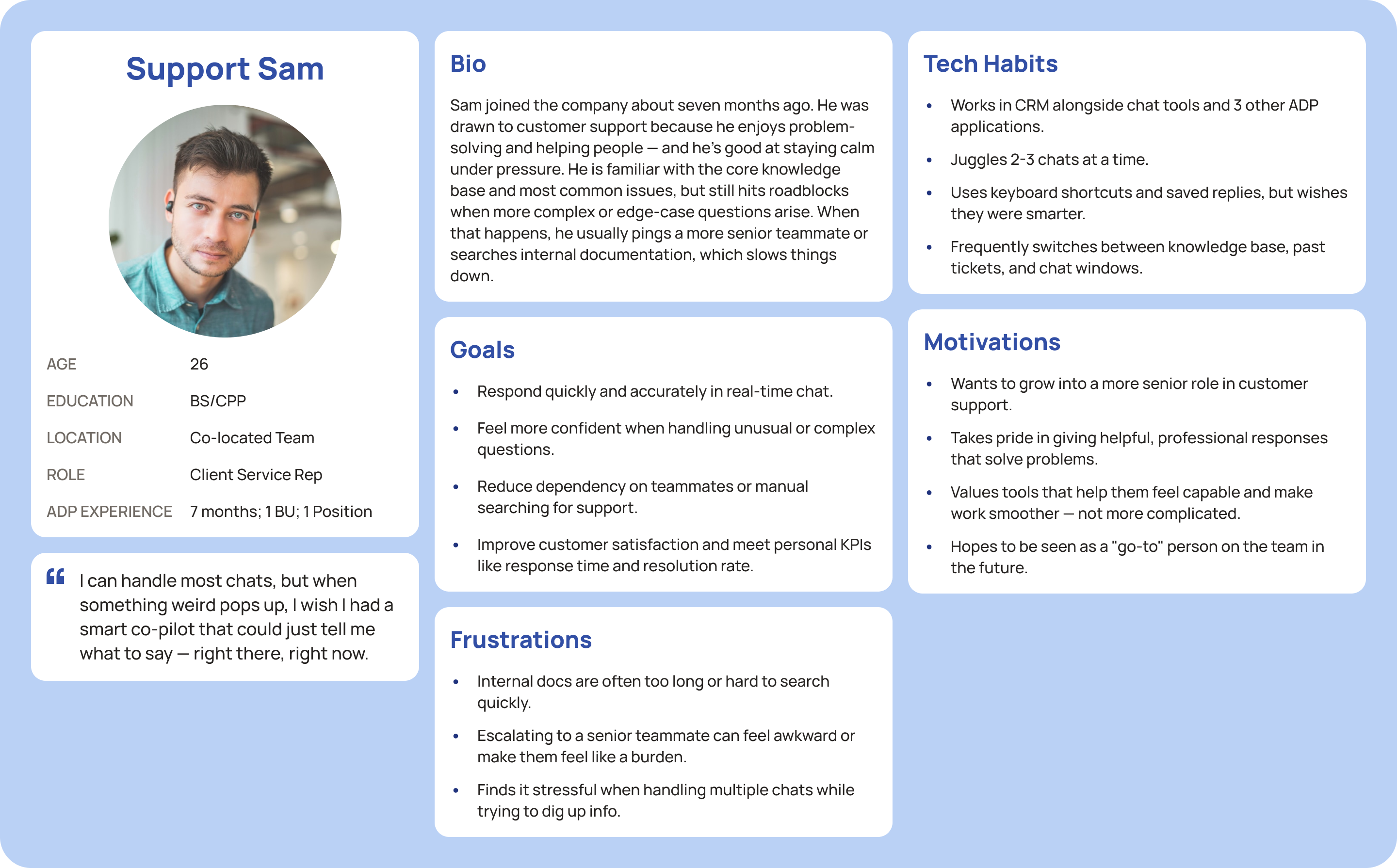
A CSR who is 7 months into the job. They know the basics, but still need help with edge cases — especially when multitasking under pressure in real-time chat.
The Approach
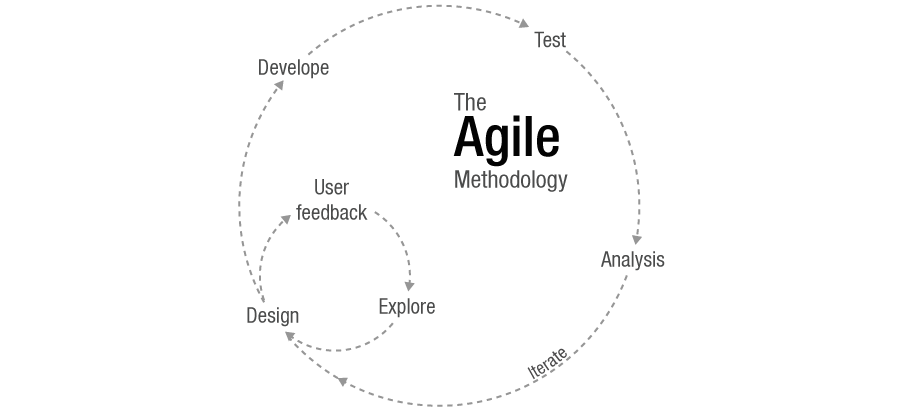
Fast-Moving Team, Thoughtful Execution
- Cross-functional: UX + Eng + Data Science
- Rapid prototyping
- Feedback loops
- De-risk legacy transitions
Understanding the Current Ecosystem
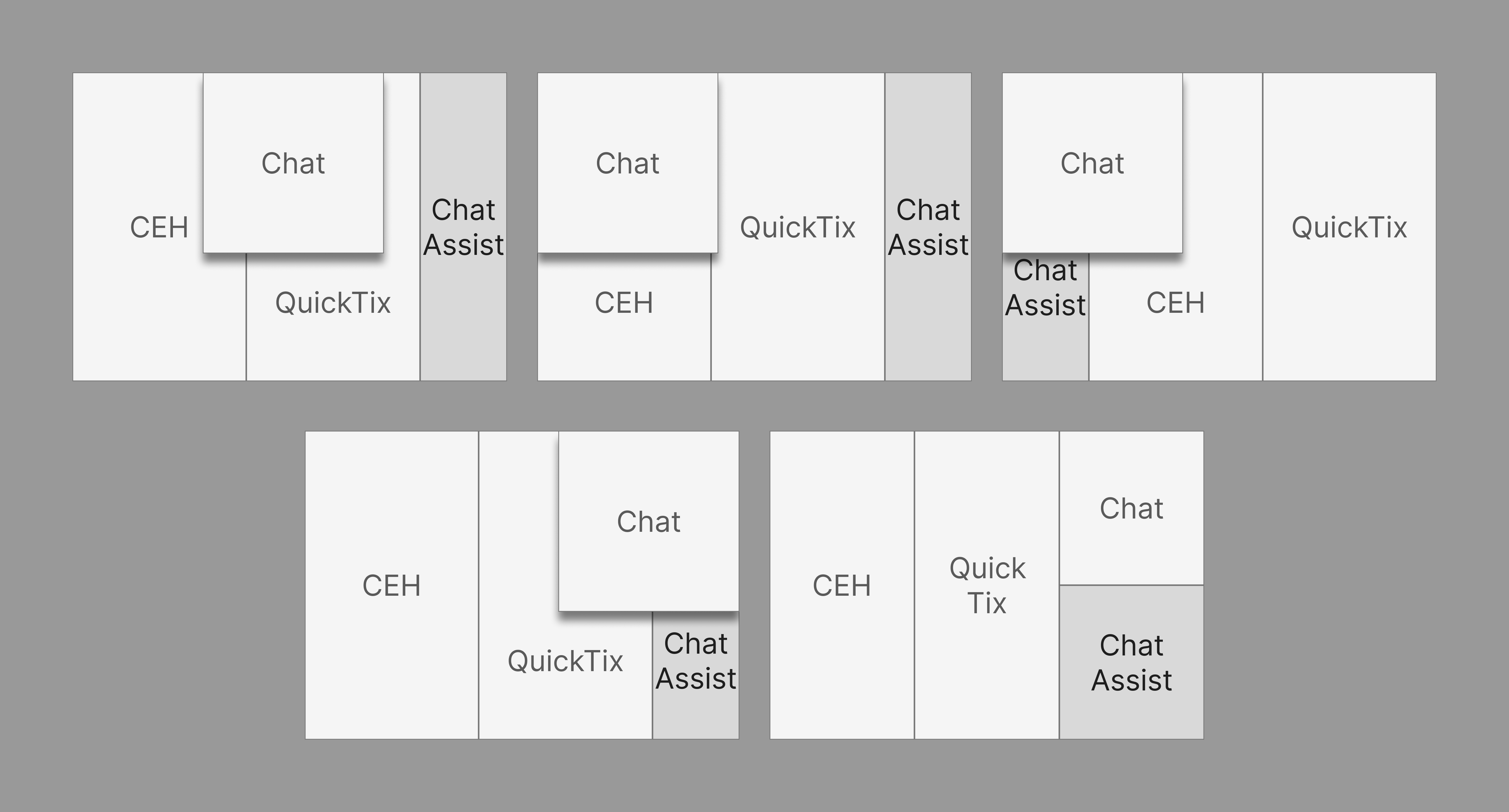
To ground the design in real workflows, my first step was to wireframe the existing experience. This included mapping the relationships between CEH (ADP’s CRM), CIMplicity (the contact center platform at the time), and identifying potential integration points for Chat Assist. This foundational work ensured that future design decisions aligned with platform capabilities and agent needs.
Design Evolution
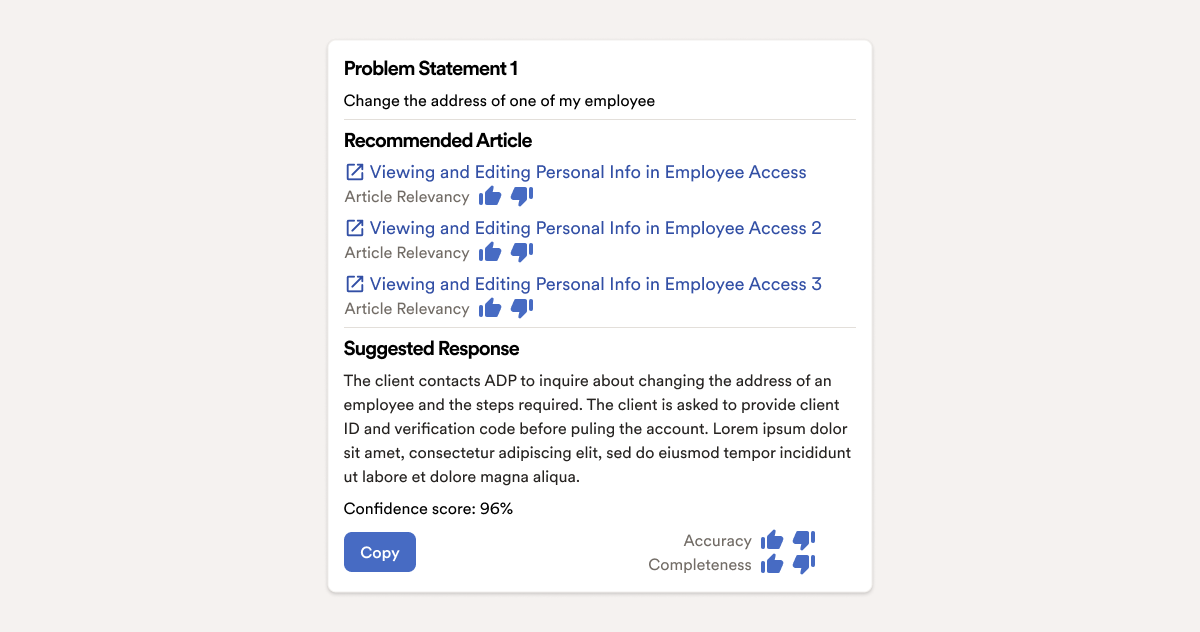
Version 1: Full Transparency
Pros
- High transparency: Users see exactly how the answer was generated, which can increase trust.
- Access to full context: All source articles and the client’s question are visible for deeper understanding.
Cons
- Cognitive overload: Too much information at once; hard to quickly extract key points.
- Time-consuming: CSRs have to sift through long responses, slowing down resolution time.
- Low usability: Doesn’t align with how agents actually work — they need speed, not depth.
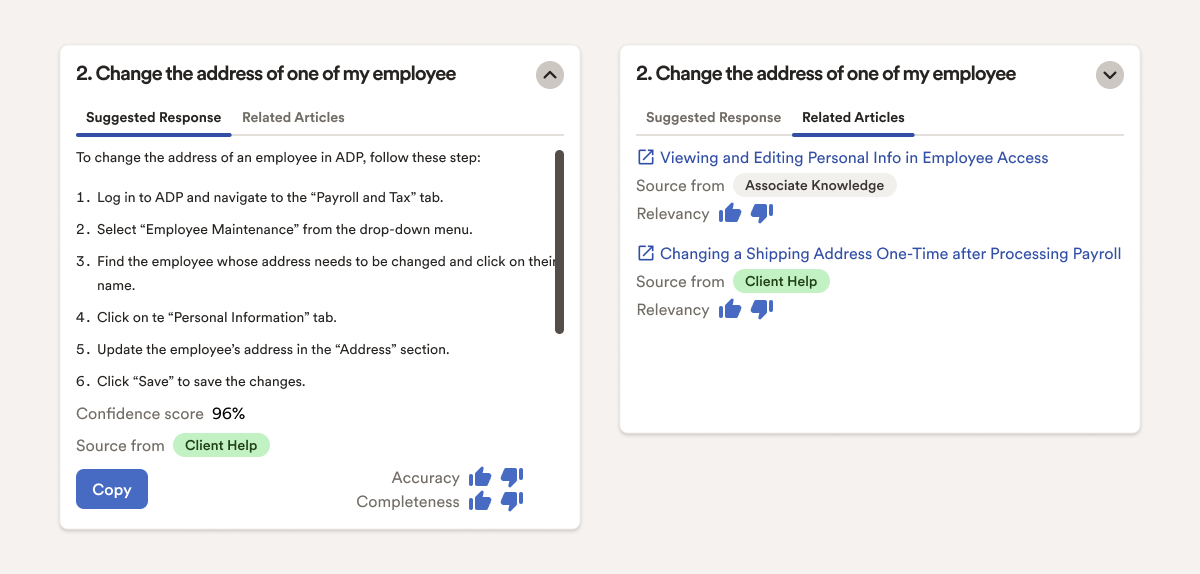
Version 2: Simplified Experience
Pros
- Improved clarity: Key information (problem and suggested response) is easier to find and act on.
- Better workflow fit: More aligned with CSR behavior — focused, actionable, and quick.
- Cleaner UI: Less clutter, which can improve focus and reduce training time.
Cons
- Reduced transparency: Important details from the source materials are less visible or buried.
- Trust tradeoff: Users may question where the response is coming from if source info is too de-emphasized.
- Loss of nuance: Less detail may mean missing critical edge cases or context.
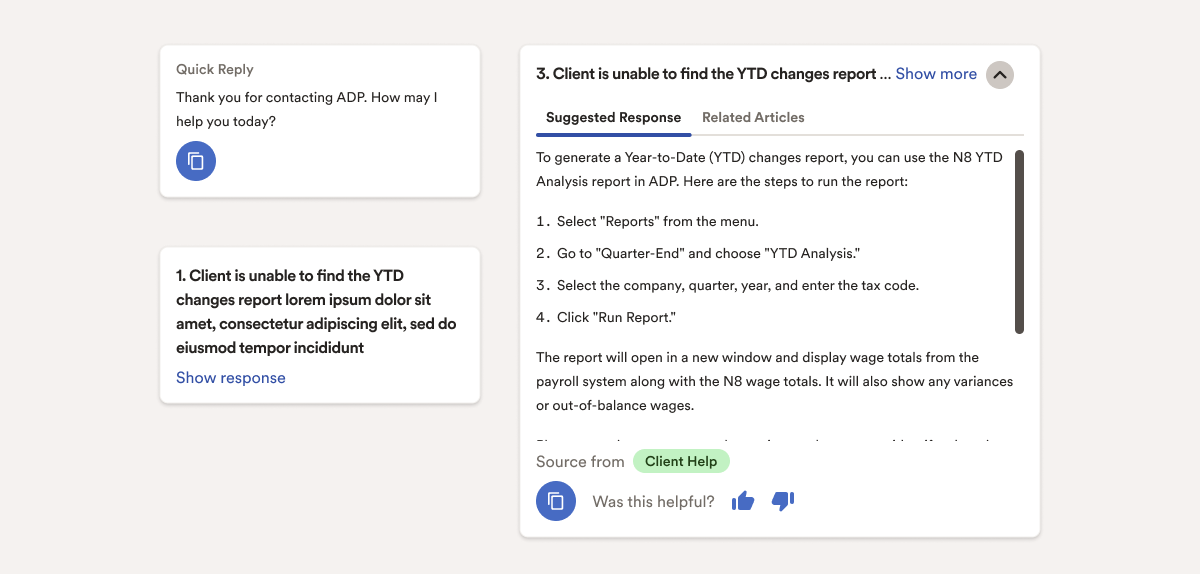
Version 3: Quick Reply Feature Added
Pros
- Higher engagement: Matches real CSR behavior with small talk or filler use — more natural.
- Quantifiable impact: 24% increase in user satisfaction is a strong validation.
- Time-saving: Helps maintain flow while waiting for info, reducing awkward silence or idle time.
Cons
- Superficial fix: While helpful, it doesn’t address deeper UX or content challenges.
- May encourage shortcuts: Agents might overuse quick replies rather than focusing on resolution quality.
Result
Detailed Design
Outcomes
- Faster, more confident CSRs
- Scalable AI mentoring
- A UX success in the middle of a tech stack transition
It’s like giving every CSR their own expert mentor — available at the exact moment they need it.